Learning how to sell on Depop takes one afternoon. You set up a shop, photograph an item, write one description that does the job of a title and a description, add five hashtags, pick a shipping option and post. This guide walks through every step in order for US sellers, with the current fees, the two shipping routes, how payouts work and what to do once your first items sell.
How selling on Depop works
To sell on Depop, you create a free account, list an item with photos, a description, five hashtags and its details (category, brand, size, condition), set a price and a shipping option, then ship it when it sells. US sellers pay no selling fee, only payment processing of 3.3% plus $0.45 per sale, and an extra fee only if a sale comes from a boosted listing.
Depop is a fashion-first marketplace with a young, style-led audience. Buyers search by brand and item, but they also browse by aesthetic and follow shops whose look they like. That shapes everything below: your photos and the first line of your description do most of the selling.
- Listing is free. There is no monthly fee and no charge to post.
- No selling fee in the US. Depop dropped its 10% selling fee for US sellers in July 2024. Payment processing still applies.
- Shipping is your call. Use a prepaid Depop Shipping label through USPS, or arrange postage yourself.
- Money goes to your Depop Balance first. You then withdraw it to your bank.
How to sell on Depop for beginners: the 8 steps
Here is the full path from download to first payout. Each step is short. Do them in order the first time and the second listing will take a fraction of the time.
Create your account and pick a shop name
Download the Depop app (iOS or Android) or sign up on depop.com. Your username becomes your shop name and appears in your shop URL, so pick something short, easy to spell and loosely tied to what you sell (for example, a name that hints at vintage or streetwear rather than your full legal name). Changing it later is possible but confuses repeat buyers.
Set up payments before you list
In the US, sales are paid through Depop Payments into your Depop Balance. Add a bank account under your payment settings: Depop's help pages say to use the routing and account number of a standard bank account, not a savings account, and that the details must match the ones you signed up with. You may be asked for extra identity verification. You need to be 18 to hold a Depop Payments account, or have a parent or guardian verify for you.
Fill in your profile
Add a profile photo, a one or two line bio that says what you sell and how fast you ship ("90s and Y2K womenswear, sizes XS to L, ships in 1 to 2 days"), and your location. Buyers check the profile before they buy from a shop with no reviews. A matching look across your photos helps a lot once you have 10 or more items; the Depop shop aesthetic guide covers backgrounds, banners and grid layout.
Pick your first 10 items
Start with clothes that are clean, in good condition and easy to describe: a branded hoodie, a pair of jeans you can measure, a graphic tee. Skip anything you can't authenticate. Ten items is enough to make your shop look alive and to see which listings get likes. Not sure what moves? Our guide to what sells on Depop covers the styles, eras and item types to look for.
Create your first Depop listing
Tap Sell, add photos, write the description with hashtags, then fill in category, brand, size, condition, price and shipping. The next section goes through each field.
Price it with the fees in mind
Check what similar items have sold for, use Depop's suggested price range as a sense check, and work out your take-home after processing and shipping.
Ship within a few days of the sale
Print the label or use the QR code, pack the item and drop it off. Ship fast: Depop's seller protection covers items sent with a Depop Shipping label within 5 days of the sale.
Get paid and withdraw
Your money lands in your Depop Balance after delivery, and you withdraw it to your bank. Details are in the payout section below.
How to create a Depop listing that sells
A Depop listing has fewer fields than an eBay or Mercari listing, which means each one carries more weight. Depop's own help page on search ranking says relevance is judged against the listing's description, brand, category and color, and that popularity (views, likes and adds to bag) also counts. Fill every field honestly and you are already ahead of most new shops.
Photos: lead with the cover shot
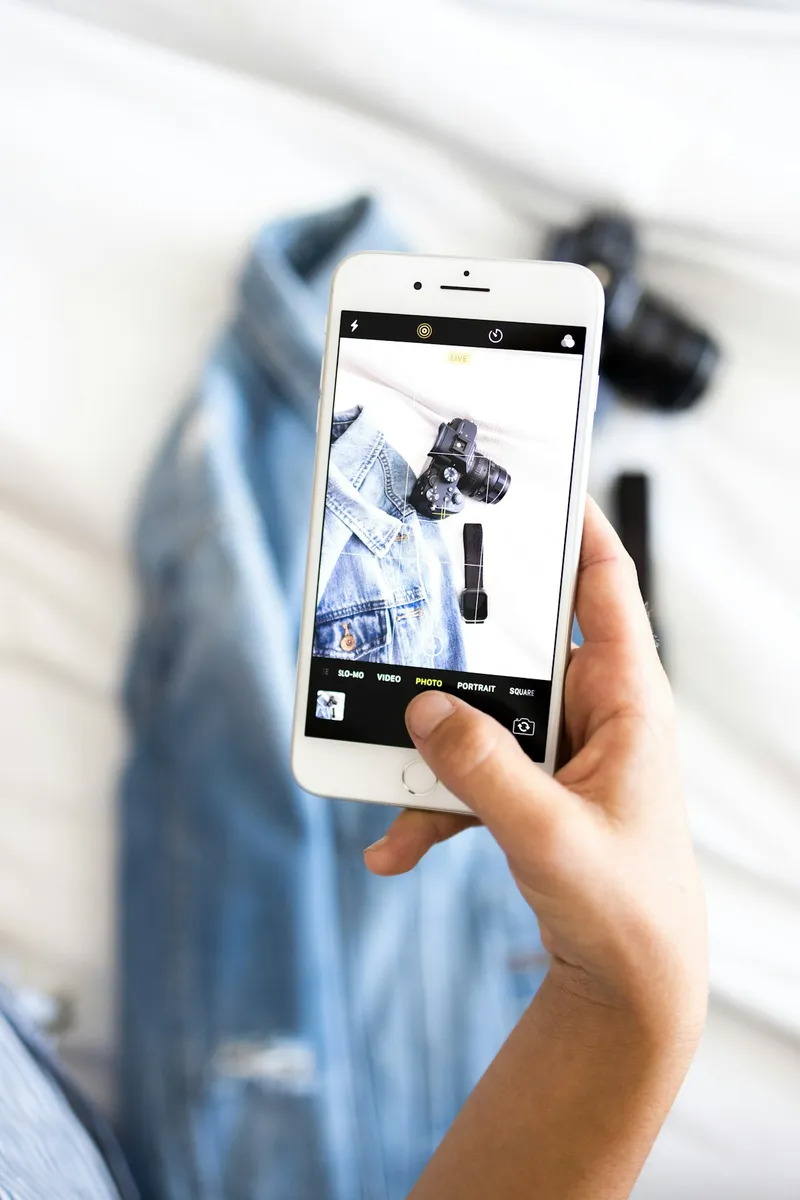
Depop's help center lets you add several photos and a video from the app, and up to 8 photos on depop.com. Use as many as you can. The first photo is the one buyers see in the feed, so make it the clearest, best-lit shot of the whole item. Then add the back, the label, a close-up of fabric or print, and any flaws. Depop asks sellers to show every angle and to photograph wear, and doing so cuts down on "not as described" claims later.
On-body or styled shots tend to suit Depop's audience better than a crumpled hanger photo. If you don't model, a neat flat lay on a plain background works. For lighting and setup, see how to photograph clothes to sell.
The description field: your title and description in one
Depop has no separate title box. The description field holds everything, up to 1,000 characters, including your hashtags. The first line acts as your title: it's what shows first and what search leans on most. Put the searchable words there, in the order a buyer would type them: brand, era or style, item type, key detail, size.
Below that, add a short, scannable body: condition and any flaws, measurements, fit notes, fabric, and a styling line if it helps. Depop's own tips ask for exact measurements because sizing varies between brands. Skip openers like "Hey babes" or "Cute top" in the first line; they use the most valuable space on words nobody searches.
Vintage 90s Levi's 550 relaxed fit jeans light wash W30
Description:
Light stonewash, relaxed tapered leg, high rise. Great vintage condition: light fading at the hems, no rips or stains.
Waist 30 in flat x2, rise 12 in, inseam 30 in, leg opening 7.5 in.
Tag reads W31 L30, fits more like a 30. 100% cotton, no stretch.
Ships in 1 to 2 days. Bundle 2+ items for a discount.
#vintage #levis #90s #momjeans #vintagejeans
That listing uses about 330 characters, leaving plenty of room. The Depop AI listings guide breaks down the first-words rule and the 1,000-character limit in more depth.
Hashtags: five, chosen on purpose
You get up to 5 hashtags per listing, typed into the description. Use all five and spread them across angles: one broad tag (#vintage, #y2k), one or two for style or era (#90s, #streetwear), one for the item (#babytee, #vintagejeans) and a brand tag only if that brand is really on the item. Depop treats unrelated brand names as keyword spam. For copy-ready lists by style, use the best Depop hashtags guide.
Category, brand, size and condition
These are filters, and buyers use them. A listing in the wrong category, or with no brand selected, simply doesn't appear when a buyer filters for that brand or category.
- Category: pick the most specific option (Jeans, not just Bottoms). It decides which browse pages and filters you show up in.
- Brand: choose from the list. If the brand isn't there or the item is unbranded, say so rather than picking a similar-sounding brand.
- Size: select the tagged size, then explain fit in the description if it runs small or large.
- Condition: choose the closest option and back it up with photos. Overstating condition is the fastest route to a return.
- Color and other attributes: fill in whatever the form offers. Color is one of the fields Depop names for relevance.
Depop also has a built-in option to generate a description from a photo, which can fill in attributes like category, color and brand for you to check. Review anything it writes, especially brand and condition, before you post.
How to price on Depop
Pricing on Depop comes down to three things: what similar items actually sold for, what you need to keep after fees and shipping, and how fast you want it gone.
Check sold prices first
When you list an item, Depop may show a suggested price range and a list of similar items that have sold. For some listings it offers three points: a lower price that is likely to sell quickly, a balanced middle price, and a higher price that may take longer. Depop says these ranges are based on the details you enter (brand, product type, condition and so on) and carry no guarantee of a sale. Treat them as a starting point, then look at the sold section of shops that sell the same kind of item to see real prices.
Current US Depop fees
| Fee | US rate (at the time of writing) | When it applies |
|---|---|---|
| Selling fee | 0% | Removed for US sellers in July 2024 |
| Payment processing | 3.3% + $0.45 | Every sale, on the item price plus shipping and any tax |
| Boosting fee | 12% | Only when a buyer buys after viewing the item in a boosted tile |
On a $30 item where the buyer pays $6 shipping, processing is 3.3% of $36 plus $0.45, which comes to about $1.64. If the buyer paid for a Depop Shipping label, the label cost comes out of what they paid, so you keep roughly $28.36 of your $30 price. If you offer free shipping, the label cost comes out of your side instead.
Boosting is optional. Depop's help center says the boosting fee is charged only on sales that come from a boosted listing, on the item price (and on shipping only if you arranged your own), and not on Depop Shipping labels. If a sale is refunded, Depop refunds the fees too. Fees change, so confirm the current rates on Depop's seller fees page before you price a big batch. For worked examples and a take-home formula, see Depop fees explained.
Leave room for offers and bundles
Depop buyers make offers, and many shops run a bundle discount. Price a little above the lowest number you would accept so you can say yes to a fair offer without losing money. Setting up a bundle discount is covered in the Depop bundle discount strategy guide.
How to sell on Depop: shipping, step by step
When you sell on Depop in the US, you choose one of two shipping routes on each listing: Depop Shipping (a prepaid USPS label that Depop generates) or your own shipping (you buy postage elsewhere). You also decide who pays: the buyer, or you, by offering free shipping. Here is how each works.
Option 1: Depop Shipping label (USPS)
- When you list: choose Depop Shipping and pick the parcel size that fits the packed item's weight. The options you see depend on your ship-from address.
- After the sale: Depop gives you a QR code and a printable label. Find them under your sold items (My Depop, then Sold on iOS; Selling Hub, then Sold items on Android; or your selling hub on the web). No printer? Take the QR code to a USPS location instead.
- Tracking is automatic. You don't need to add a tracking number or mark the order as shipped.
- You must use that label. Depop's help pages say that if you choose Depop Shipping and send the item another way, you lose Depop Protection and the order may be canceled and refunded.
- Weigh honestly. Depop's terms say sellers must cover any extra carrier charges if the package weighs more than the label allows.
- Bundles ship together. If every item in a bundle uses Depop Shipping, Depop generates one label sized for the combined weight.
Option 2: Ship it yourself
- When you list: choose your own shipping and type in the price you'll charge the buyer, or $0 for free shipping.
- After the sale: buy a label from USPS, Pirate Ship, UPS or another service.
- Tracked shipping is required. Add the tracking number in the app and mark the order as shipped.
- Use it for international orders. Depop Shipping is for domestic US orders, so anything going abroad goes this way.
- Payouts can be slower. Depop's help pages give a longer wait before funds release on manually shipped orders.
Who pays for shipping on Depop?
You choose. With buyer pays, the shipping price is added at checkout, and on a Depop Shipping label the buyer's payment covers the label. With free shipping, the buyer sees $0 and you cover the label from your payout, so build that cost into the item price. Free shipping can make an item look cheaper next to similar listings; buyer pays keeps your sticker price lower. The trade-offs and current label costs by weight are in Depop shipping options explained.
Packing and drop-off
- Pack clothes in a poly mailer, or a box for shoes, bags and anything fragile. Fold neatly; a tidy parcel helps your reviews.
- Cover or remove old labels, barcodes and hazmat stickers if you reuse packaging. Depop warns that USPS can delay or return a package, or charge a fee, if it's miscategorized.
- Weigh the packed parcel, not just the item, so it stays inside the label's size.
- Attach the printed label, or take the QR code to any USPS location to drop off.
- Ship within 1 to 3 days. Depop asks sellers to send items as soon as possible, and its protection for Depop Shipping covers labels used within 5 days of the sale.
For clothes under about a pound, Depop Shipping with buyer pays is the least work: no weighing to the ounce, no tracking to enter, and protection built in. Switch to your own label for heavy items, international buyers, or when you can get a clearly cheaper rate.
How you get paid on Depop
US sales go into your Depop Balance, not straight to your bank. Depop's help center says money moves to your balance 2 business days after the item shows as delivered, or 10 business days after the sale, whichever comes first. You then withdraw to your linked bank account, which can take up to 5 days to show. Depop has also been rolling out a withdrawals feature that lets you choose when to transfer, though its help page says it isn't available to every account yet.
If a payout seems late, check three things: your bank account is connected and the last four digits match, your account is verified, and your balance isn't negative from an earlier refund. A negative balance blocks payment until it's cleared.
Keep everything on Depop. Only sales paid through Depop's checkout are covered by Depop Protection. A buyer who asks you to take payment off the app is asking you to give that up.
If a buyer opens a claim after delivery, respond calmly with your photos and measurements. The Depop not as described claim guide walks through what to send.
How to grow your Depop shop after the first sales
Once a few items have sold, growth comes from listing consistently, keeping listings fresh and making each listing easier to find. Here is what matters most, with the deep dives linked.
List a little, often
Depop's ranking gives newer listings a small boost, though far less than relevance. Adding a few items most days keeps your shop showing up in feeds and gives followers a reason to come back. How the ranking signals stack up is covered in how the Depop algorithm works in 2026.
Refresh and relist stale items
An item with views but no likes after a couple of weeks usually needs a better cover photo, a sharper first line or a price check. Editing and refreshing it can put it back in front of buyers. The routine, and when to relist instead, is in how to relist on Depop.
Build reviews early
Fast shipping, careful packing and accurate descriptions earn good reviews, and reviews are what make a stranger trust a new shop. A short thank-you note in the parcel costs nothing.
Pick a lane
Shops with a clear niche (90s sportswear, Y2K going-out tops, vintage denim) are easier to follow and easier to remember. For era-specific wording and styling, see how to list Y2K and streetwear on Depop.
Speed up the writing
Writing a strong first line, a clean description and five good hashtags for every item is the slowest part of listing. Quicklist AI is a Chrome extension that writes the title line, description and tags from a few words or a photo, tuned to Depop's format, then fills them into the listing form with Fill Listing. It doesn't crosslist or automate anything on Depop, it just does the writing. You can try the Depop listing generator with 2 free listings and no card, and plans start at $2.99 a month (see Quicklist AI pricing).
Consider a second marketplace
Once your Depop routine is steady, the same inventory can reach more buyers elsewhere. Our crosslisting guide explains how to do it without double sales.
Frequently asked questions
How do I start selling on Depop as a beginner?
Download the app, create an account, connect a bank account through Depop Payments, and fill in your profile. Then list about 10 clean, easy-to-describe items: clear photos, a description whose first line names the brand, item and size, five hashtags, and the category, brand, size and condition fields. Choose Depop Shipping for the simplest first sale.
Is it free to sell on Depop?
Listing is free and US sellers pay no selling fee since July 2024. Each sale still has a payment processing fee of 3.3% plus $0.45, charged on the item price plus shipping and tax, and a 12% boosting fee applies only to sales that come from boosted listings. Check Depop's seller fees page for the current rates.
How does shipping work when you sell on Depop?
Pick a shipping method on each listing. With Depop Shipping, you choose a parcel size and Depop gives you a prepaid USPS label or QR code after the sale, with tracking added automatically. With your own shipping, you set the price, buy a tracked label elsewhere and add the tracking number yourself. Either way, you decide whether the buyer pays or you offer free shipping.
What should I put in a Depop listing description?
Start with a first line that works as a title: brand, era or style, item type, key detail and size. Then add condition and flaws, measurements, fit, fabric, and up to five hashtags. The whole field, hashtags included, has a 1,000-character limit.
How long does it take to get paid on Depop?
In the US, money moves to your Depop Balance 2 business days after the item shows as delivered, or 10 business days after the sale, whichever is first. Withdrawing to your bank can take up to 5 more days.
Do I have to use Depop's shipping label?
No, but if you select Depop Shipping on a listing, you must ship with the label Depop generates. Sending it another way removes Depop Protection and the order may be canceled. If you prefer your own carrier, choose your own shipping when you list and add tracking after you ship.
How many hashtags can you use on a Depop listing?
Up to five, typed into the description. Use all five across different angles (broad, style or era, item, and brand only if it's on the item) and avoid unrelated brand names, which Depop treats as spam.