Vague titles
"Shelf for sale" won't match a search for "IKEA Kallax". Buyers type the brand and the item.
Facebook Marketplace listing generator
Type a few words or drop a photo. Quicklist AI writes a clear Facebook Marketplace title and a friendly description that answers buyers' questions, then fills them into the form.
2 free listings · No sign-up · No card
ikea kallax shelf 4x4 white, good condition, already assembled, pickup only
IKEA Kallax 4x4 Shelf Unit, White, Assembled
IKEA Kallax shelving unit in white, the 4x4 size with 16 cubes. In good condition and already assembled, so it's ready to use. Great for books, records or storage baskets. Pickup only.
The problem
Marketplace buyers search simply and decide quickly. Listings that make them ask the basics lose out to the one next to them.
"Shelf for sale" won't match a search for "IKEA Kallax". Buyers type the brand and the item.
Size, condition and pickup or delivery are the first questions. Leaving them out means a stream of "is this available?" messages that go nowhere.
Many listings are a photo and a price. A short, friendly description makes yours the one people message.
Facebook Marketplace rules
Facebook Marketplace buyers are local and want answers fast. Quicklist AI writes listings that get fewer "is this available?" messages.
Buyers search for the brand and the item. Quicklist AI writes titles of up to 100 characters with exactly that, no clutter.
Size, condition and pickup or delivery are what buyers ask about. Quicklist AI puts the details you give it into the description.
Facebook Marketplace is neighbour to neighbour. Quicklist AI writes in a casual, friendly voice unless you choose otherwise.
Facebook Marketplace has no tag field, so Quicklist AI puts the words buyers search for into the title and description.
How it works
Go to Facebook Marketplace and create an item for sale. The Quicklist AI side panel opens beside it and shows Facebook as detected.
A few words is enough: brand, item, size, condition, pickup or delivery. Or add a photo and let it read the details.
You get a clear title and a friendly description, written for local buyers.
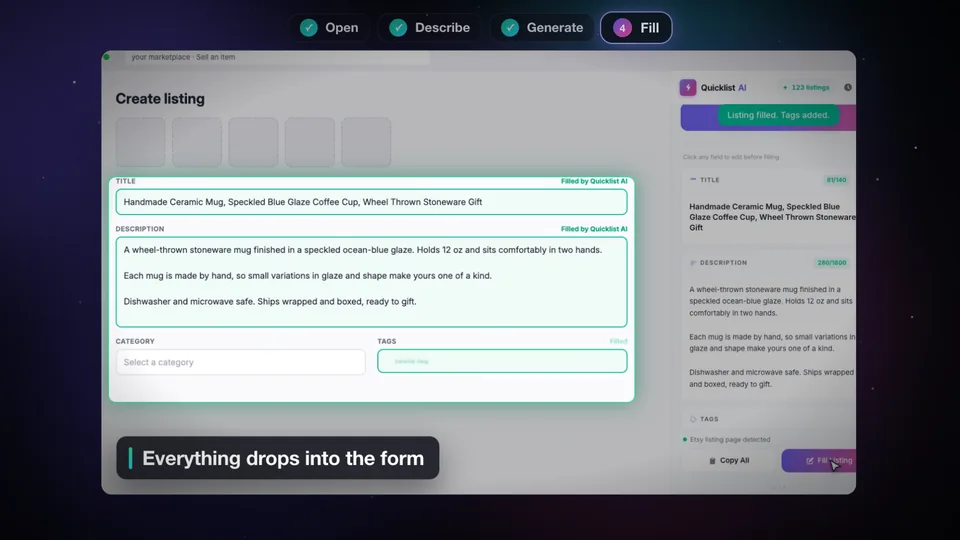
The title and description drop into the form. Add your photos, price and category, check it, and publish.
What you get
One Generate, one complete Facebook Marketplace listing, ready to fill.
Brand, item, size and colour in up to 100 characters.
IKEA Kallax 4x4 Shelf Unit, White, Assembled
Condition, size and pickup or delivery, the details you give it, in a neighbourly voice.
In good condition and already assembled. Pickup only, near the station.
No tag field on Marketplace, so the words buyers type go into the title and description.
storage shelf · cube shelf · bookcase
Before and after
Tone and length
Pick the voice that fits your shop. On Facebook Marketplace you can choose from these tones and three lengths.
Friendly and plain, like a message to a buyer.
Clear and factual, for branded or higher priced items.
Just the facts buyers filter by, in as few words as possible.
Other tools charge $30 to $90 per month and only work on one platform. QuickListAI covers all 10 for $2.99. The quality is noticeably better too.
Seller tips
What makes a Facebook Marketplace listing sell, whether you write it yourself or with Quicklist AI.
That's what local buyers search.
It's the first thing buyers want to know.
Width, depth and height save a lot of messages.
It stops time wasters and builds trust.
Marketplace is neighbour to neighbour.
Quick replies sell. A complete listing means fewer questions to answer.
Pricing
Start with 2 free listings, no sign-up and no card. Every plan covers all 10 marketplaces.
FAQ
Install the Quicklist AI Chrome extension and create a new listing on Facebook Marketplace on your computer. Type a few words about your item or add a photo, click Generate, then click Fill Listing. The title and description go straight into the form.
No. Quicklist AI is a Chrome extension, so it works on facebook.com in Chrome on a Mac or Windows computer.
You choose: short (about 600 characters), medium (about 1,200) or long (about 1,800).
Yes. Drop a product photo into the side panel and Quicklist AI reads the brand, item, colour and style from it, then writes the title and description.
The Casual tone may add one or two, since Facebook Marketplace allows them. Choose Professional or Minimalist for none.
No. Quicklist AI is a Chrome extension, so it works on facebook.com/marketplace in Chrome on a Mac or Windows computer.
No. There's no tag field, so Quicklist AI puts the search words into the title and description.
About 30 seconds. Opening the side panel, typing a few words and clicking Generate takes a few seconds, and Fill Listing puts it into Facebook Marketplace's form straight away. Most of the time left is checking it and adding your photos and price.
Not from the writing. Quicklist AI writes in the tone Facebook Marketplace buyers expect, only uses the details you give it, and you can edit any word before you fill. It never adds claims about the item that you didn't make.
Yes. Crosslisting apps copy a listing you've already written. Quicklist AI writes it, in Facebook Marketplace's own format. Many sellers write the listing with Quicklist AI, then crosslist as usual.
Yes. Quicklist AI gives you 2 free listings with no sign-up and no card. Paid plans start at $2.99 a month for 30 listings, and every plan covers all 10 marketplaces.
Yes. The same extension writes listings for Poshmark, Depop, Mercari, eBay, Vinted, Etsy, Grailed, Whatnot and Amazon, each in that site's own format. Facebook Marketplace is one of 10.
Write it once. Sell more. Fill it in one click.
Add to Chrome, free2 free listings · No sign-up · No card