
Your Grailed tags decide whether the right buyer ever sees your listing. You get up to ten of them, 32 characters each, and most sellers waste them on words like “vintage” and “streetwear” that compete with hundreds of thousands of other listings. The buyers who actually pay well do not search those words. They search by designer, by era, by silhouette, and by specific drop. Tag for the way they search and your listing surfaces in front of serious buyers. Tag generically and it disappears into the pile.
This guide gives you a repeatable formula for filling all ten tag slots, the designer-and-era logic that archive and menswear buyers search by, and worked examples you can adapt to your own pieces tonight. By the end you will never stare at the tag field wondering what to type again.
Tags are the quietest, most underused lever on Grailed. Used well, they are free discoverability.
Why Grailed tags matter more than you think
On a feed-only platform, tags barely matter. On Grailed, they are central, because Grailed is built around search. A buyer hunting a specific archive piece does not scroll for an hour. They type the designer name, maybe the era, maybe the silhouette, and they buy from the matching results. Your tags are part of what Grailed matches that query against.
This is why generic tags fail. The word “streetwear” sits on a staggering number of listings, so tagging it puts you at the back of an enormous line. The word for a specific designer plus a specific era sits on far fewer, so a buyer searching that exact phrase has a real chance of landing on you. Specificity is not just tidy. It is the entire mechanism by which tags work.
Think of your ten tags as ten different doorways into your listing. Each one is a search a buyer might run. Generic words build doorways nobody uses. Specific designer, era, and silhouette words build doorways the exact right buyer walks through.
The Grailed tag rules you are working within
Before the strategy, the constraints. Grailed gives you up to ten tags per listing, and each tag can be up to 32 characters. That 32-character ceiling is generous enough for multi-word phrases like “raf simons archive” or “y2k baggy jeans,” which is exactly the kind of phrase buyers search.
Use all ten. Leaving slots empty is leaving discoverability on the table for free. There is no penalty for using every slot as long as each tag is genuinely relevant to the piece. The goal is ten relevant doorways, not three.
The 5-part tagging formula
Here is the framework. Fill your ten slots by drawing from these five categories, weighting toward the specific. You will not use a fixed number from each every time, but a strong tag set almost always touches all five.
1. Brand and designer (your highest-value tags)
The single most searched thing on Grailed is a brand or designer name. Always tag the exact brand. If the piece is a collaboration, tag both names and the collab itself. If the brand has common alternate spellings or a sub-label, use a slot for the variant buyers actually type. These are your money tags, because brand search is how the highest-intent buyers shop.
2. Item type and silhouette
Tag what the piece actually is, and how it is cut. “Bomber jacket,” “carpenter pants,” “boxy tee,” “baggy jeans,” “cropped hoodie.” Silhouette tags matter enormously to the menswear and archive crowd, who shop by shape as much as by brand. A buyer who wants a wide-leg trouser searches the silhouette, so a “wide leg trouser” tag puts you in front of them.
3. Era and drop
This is the lever almost everyone underuses. Archive buyers search by era constantly: “y2k,” “90s,” “early 2000s,” “vintage 80s.” If you know the specific season or drop, tag it, because the most serious collectors hunt by exact drop. Era tags connect your piece to a whole movement of demand, and they are where the designer-and-era strategy pays off most.

4. Style and aesthetic
Tag the broader aesthetic the piece fits, when it is specific enough to be searched: “gorpcore,” “techwear,” “americana,” “grunge,” “minimalist.” Aesthetic tags catch buyers who are building a look rather than hunting one brand. Keep these genuinely descriptive of the piece, not aspirational, or they read as spam.
5. One or two trending search terms
Leave room for a slot or two for terms that are trending in the community right now and genuinely apply to your piece. Trends move fast on Grailed, and a relevant trending tag can ride a wave of search demand. The key word is relevant. Tagging a trend your piece does not actually fit annoys buyers and gets you nowhere.
The designer and era logic, made concrete
The reason designer plus era beats everything is that it matches the mental model of the buyer. Nobody serious thinks “I want a generic vintage shirt.” They think “I want a 1990s piece from this specific designer,” or “I want that early-2000s archive silhouette.” Your tags should mirror that exact thought.
So pair them. A brand tag and an era tag in the same listing let a buyer who searches the brand find you, a buyer who searches the era find you, and a buyer who searches both, the highest-intent buyer of all, find you at the top. Designer and era are not competing tags. They are a combination lock, and using both opens it.
This is also where consistency compounds. When every listing in your closet is tagged with the right brand, item, silhouette, era, and aesthetic, your whole shop becomes searchable, and Grailed buyers who find one of your pieces discover the rest.
Worked examples you can copy
Here is the formula applied to three common listing types. Adapt the specifics to your actual pieces.
A 1990s designer bomber jacket. Brand name, brand name plus “archive,” “bomber jacket,” “nylon bomber,” “90s,” “vintage 90s,” the designer’s relevant sub-label, “minimalist,” “menswear,” and one trending term if it genuinely fits. Ten doorways, each a real search.
A pair of Y2K baggy jeans. Brand name, “baggy jeans,” “wide leg jeans,” “y2k,” “early 2000s,” “vintage denim,” the wash or color, “skater,” “streetwear,” and the silhouette variant buyers type. Notice the era tags doing heavy lifting here, because baggy denim is searched hard by era.
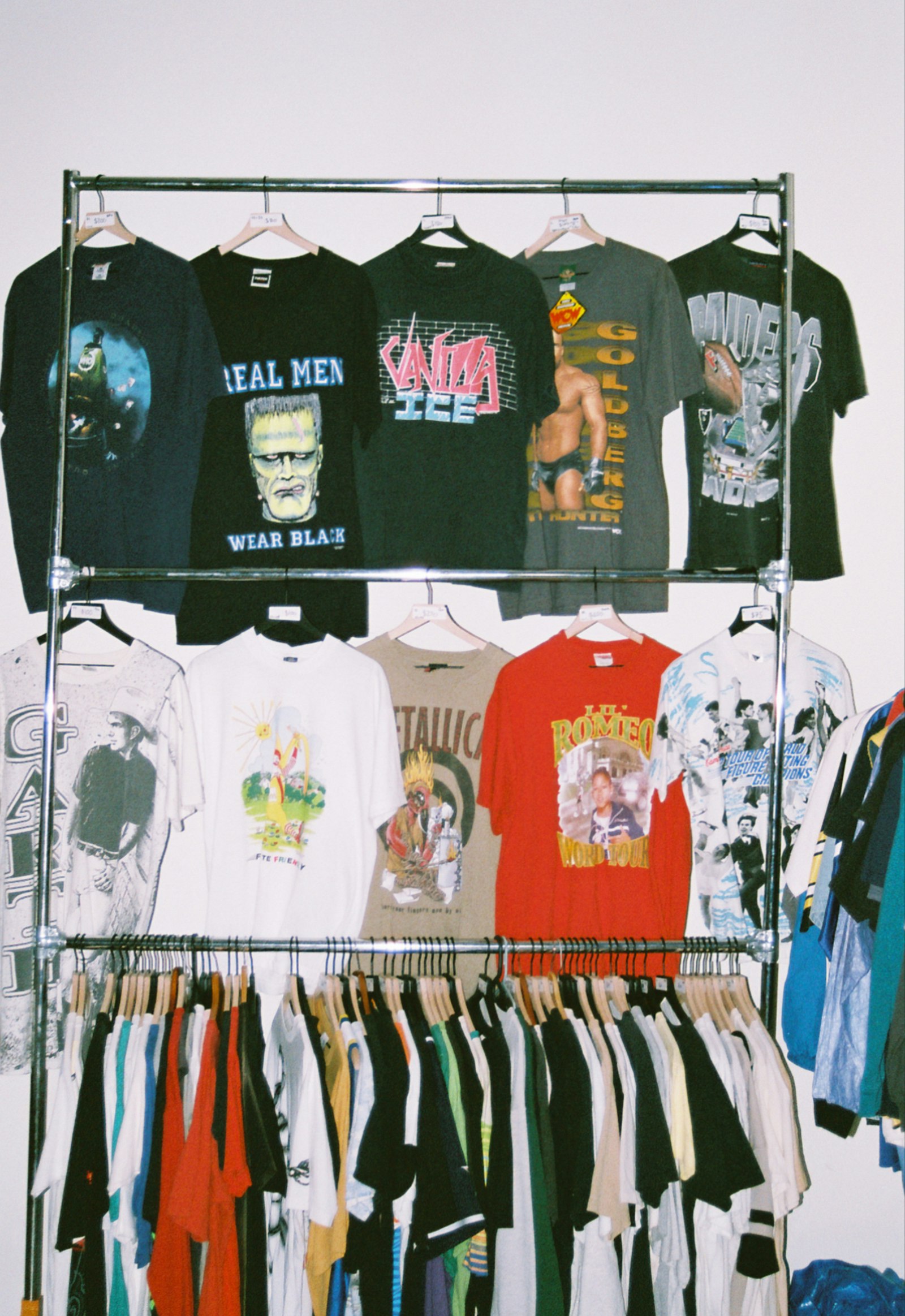
An archive graphic tee. Brand name, brand plus “tee,” “graphic tee,” “boxy tee,” “vintage tshirt,” “90s,” the band or graphic if relevant, the aesthetic, and a trending term. The silhouette and era tags catch the buyers who do not know the exact brand but want the look.
The slow part, solved
The formula is simple. Doing it for every listing is not. Researching the right brand variants, recalling the era, choosing the silhouette words, and fitting it all into ten slots under 32 characters each, for item after item, is the work that makes sellers cut corners and fall back on “vintage, streetwear, cool.”
That is the exact job our Grailed AI listing generator handles. From your photos and details it generates up to ten tags per listing within Grailed’s 32-character limit, mixing brand, silhouette, era, and trending search terms, alongside a front-loaded designer-and-era title and a measurement-forward description. Every listing comes out tagged for discovery, with no slots wasted and no generic filler.
To be precise about what it does: QuickListAI writes and auto-fills the title, description, and tags inside the Grailed listing form. It is not a bulk crosslister, it does not sync inventory or auto-delist sold items, and it is not a sharing or bump bot. It removes the tag-writing and listing-writing friction so you can list more pieces, each one built to be found.
Tagging mistakes that hide your listings
A few habits quietly bury good pieces.
Using only generic words like “vintage,” “streetwear,” or “fashion” puts you in the largest, most crowded searches where you cannot win. Leaving tag slots empty wastes free discoverability. Repeating the same word in slightly different forms across multiple slots burns doorways you could have pointed at new searches. Tagging brands or trends the piece is not actually related to reads as spam and frustrates buyers. And copying the same ten tags onto every listing regardless of the item means most of those tags do not match most of your pieces.
Avoid those, fill all ten slots with genuinely relevant brand, item, silhouette, and era terms, and your tags start working the moment the listing goes live.
Start tagging for discovery
Your ten tag slots are the cheapest discoverability you have on Grailed, and most sellers waste them. Fill them with the five-part formula, lead with designer and era, and you put every listing in front of the buyers who actually search for what you are selling.
When you want every listing tagged that way without doing it by hand, install QuickListAI free on the Chrome Web Store and let it generate your title, description, and ten tags. Your first listings are free, so you can see the tag sets it builds on your own grails first.
Try the Grailed AI Listing Generator
Generate front-loaded designer-and-era titles, measurement-forward descriptions, and up to 10 search tags in seconds. 2 free listings, no credit card required.
Add to Chrome, FreeFrequently asked questions
Grailed lets you add up to ten tags per listing, and each tag can be up to 32 characters. Use all ten, because every empty slot is a search you could have appeared in but did not.
The best tags are specific: the exact brand or designer, the item type and silhouette, the era or drop, the aesthetic, and one or two genuinely relevant trending terms. Avoid generic single words like "vintage" or "streetwear," which compete with too many listings to surface yours.
Archive and menswear buyers search by designer and by era, often together. Pairing a brand tag with an era tag lets buyers searching either term, or both, find your listing, and the buyer searching both is the highest-intent buyer on the platform.
No. Tags must match the specific piece. Copying one tag set across every item means most tags will not apply to most listings, which weakens discoverability and can read as spam. Tag each piece for what it actually is.
Tags are part of what Grailed matches buyer searches against, so they directly affect whether your listing appears when someone searches a brand, era, or silhouette. They are a discoverability tool, not decoration.
Yes. QuickListAI generates up to ten tags per listing within Grailed’s 32-character limit, mixing brand, silhouette, era, and trending terms, and writes them straight into the listing form alongside the title and description. It is a listing writer and auto-filler, not a crosslister or bump bot.